Bandizip
发布时间:2026-05-13 22:06
Run Bandizip
Run Bandizip → ① Open Archive → ② Select an archive to unzip → ③ Open → ④ Extract → Select a destination path → ⑤ OK → ⑥ Close
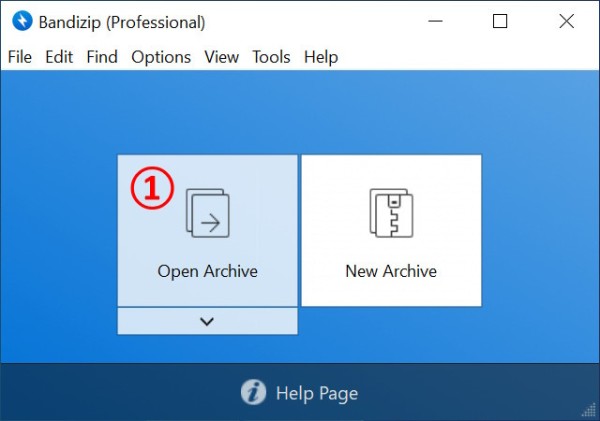
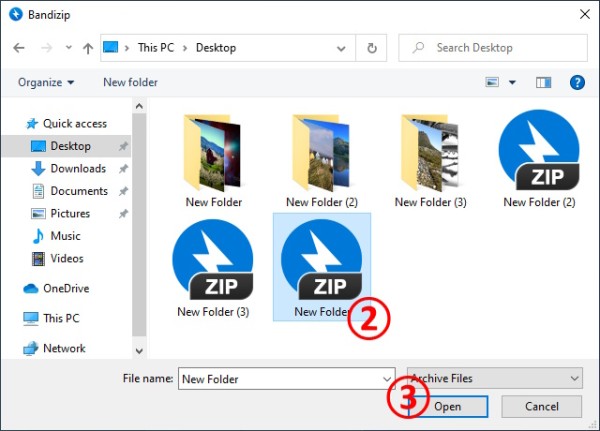
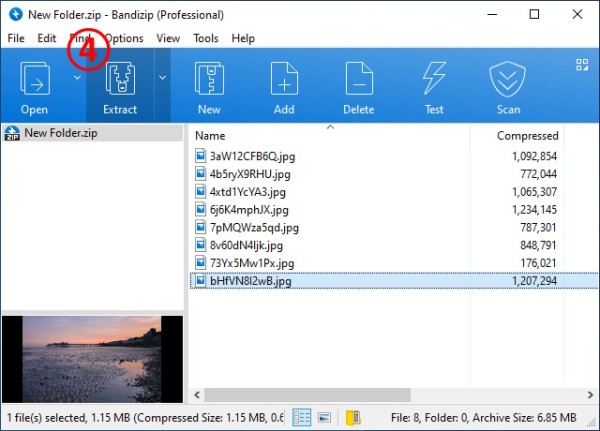
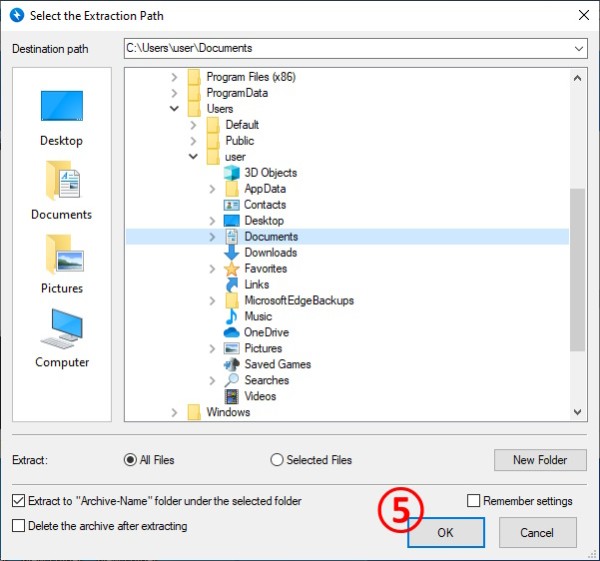
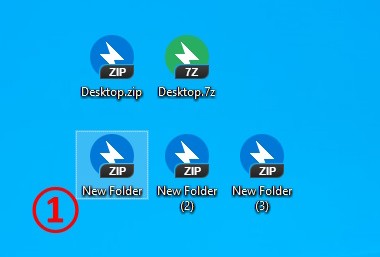
Double-click an archive
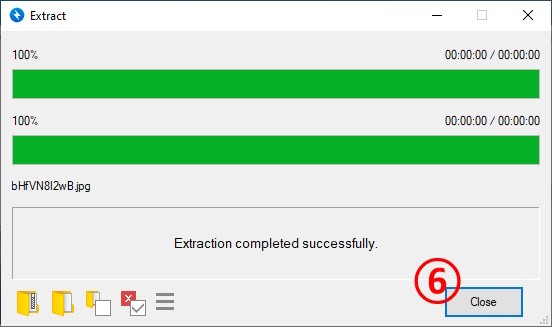
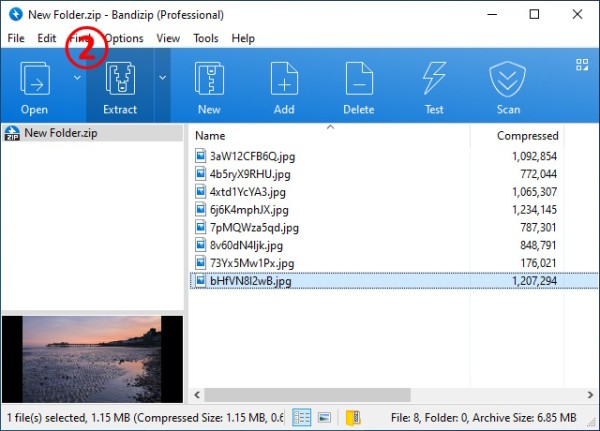
① Double-click an archive → ② Extract → Select a destination path → OK → Close
Use right-click menu
① Select an archive to unzip → ② Right-click the archive → ③ Select one from the following
Extract here: Unzip the archive to the current path Extract here (Smart): Analyze the archive's structure to automatically select a destination path Extract to ***\: Create a new folder named *** and unzip the archive to it Open with Bandizip: Run BandizipPlease visit the link below to learn more about the "Extract here (Smart)" function.
Help » How to use Extract Here (Smart)
网址:Bandizip https://www.yuejiaxmz.com/news/view/1457906
相关内容
Bandizip for macOS; All推荐几款提高工作效率的工具软件
护网紧急情况应对指南:Linux 应急响应手册
Windows上必装的10款高效软件,用起来绝对爽!
常用压缩软件盘点:高效工具助你轻松管理文件
Win11用的解压软件推荐:五款高效工具提升解压速度
电脑神级软件推荐,让你的电脑更加方便好用!
五款办公神器,用过才知道什么叫成倍地提升工作效率
电脑软件:推荐八款提高工作效率的软件,值得收藏!
经济与社会生活 主干知识梳理【课件】(130页)
随便看看
最新动态分享
- 青海美食文化创意立体冰箱贴,让美食与生活更贴近!
- 冰箱磁贴 圣诞节的厨房装饰品
- 越来越多人“冰箱不放厨房”了?参观完他们的家,才发现自己有多少傻.....
- 50道微波炉美食大合集,一键搞定,懒人必备!
- 斩神:当杨晋带着小黑癞,首次迎战外神的时,众人都是什么反应?
- 微波炉热馒头里面发硬?厨娘:方法错了,不硬才怪!
- 冰箱贴印刷——小巧创意,让品牌“贴”近生活
- 2026最新短剧糟糕和闺蜜一起穿书后把反派玩儿坏了电子榨菜天花板
- 开洞大脑的20个脑筋急转弯,快来收藏吧!
- 初中议论文汇编:《高效利用时间,让生活更充实》
热点动态分享
- 146889
- 58039
- 46485
- 43042
- 42217
- 31426
- 27146
- 25788
- 23728
- 20393